Project Playlists Panel
Summary
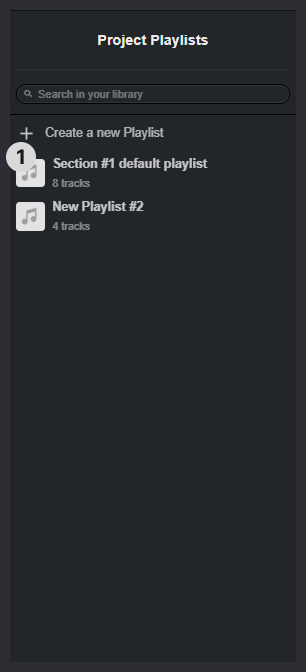
Use the project Playlists panel to manage the playlists associated to the project from the advanced search view. Functionality consists of:
- Look for a specific playlist by name
- Create a new Playlist
- Display all of the playlists associated with the project
Playlist Item 1
The playlist item displays:
- Playlist Name
- Tracks count
Pressing the playlist item will open it in the Main results window where you can curate and listen to the tracks in that playlist.
Playlist Item Context Menu
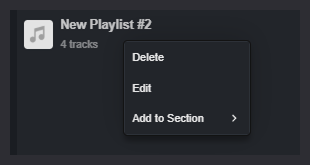
Right-click or press the three dots icon to see more options. This will show a menu where you can:
- Edit the playlist
- Delete the playlist
- Add the playlist to a section